Internal communication

Digital Shopfloor Boards Your digital Information Hub

Digital Shopfloor Boards

08.04.2026 | Efficiency has long been a key success factor for industrial companies. In today’s highly competitive environment, however, only those organizations that continuously optimize and modernize their processes can remain successful. A key element in this transformation is the ongoing development of modern Shopfloor Management.
In addition to regular meetings, Shopfloor Boards play an essential role in this approach. As a result, more and more companies are replacing tradition analogue shopfloor boards with digital solutions, enabling greater transparency, real-time data access, and more efficient decision-making.


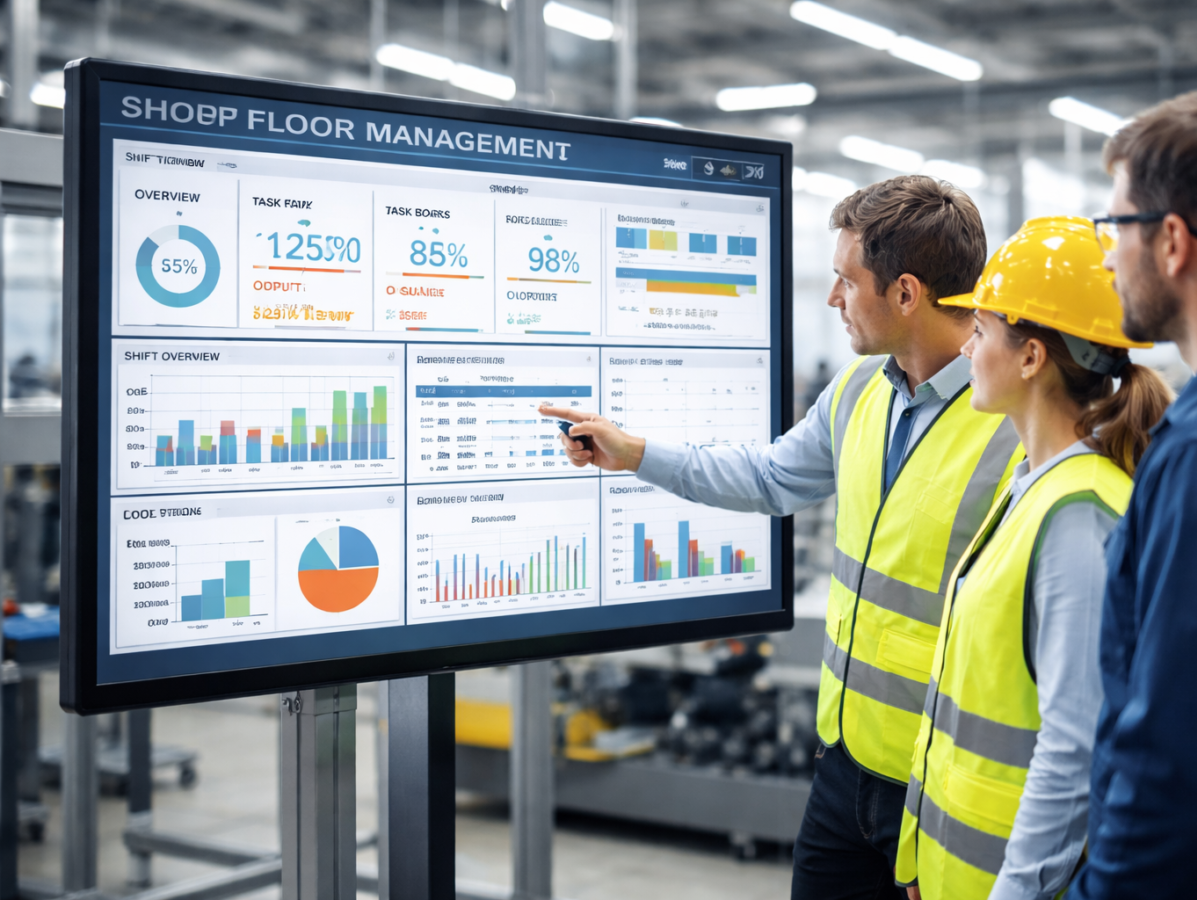
Digital Shopfloor Boards (also known as digital Shopfloor Management Boards) represent a modern evolution of traditional production boards used to visualize and manage processes on the shopfloor. Unlike physical boards that require handwritten updates, digital boards display information on screens in real time. They offer a wide range of advantages that go far beyond the capabilities of classic whiteboards, enabling organizations to establish more efficient, transparent, and collaborative workflows.

Real-Time Information

Up-to-date data: Digital Boards enable production data to be displayed in real time, ensuring that all stakeholders have continuous visibility into the current production status at any time.

Automatic updates: Data is automatically synchronized from ERP, MES, or other systems—without manual input.

Integration with Other Systems

Connection to ERP, MES, and more: Existing systems are integrated through interfaces, ensuring a seamless flow of information from planning to execution.

Interaction: Adjustments can be made directly on the board in the corresponding ERP, MES, or connected tools.

„Digital Shopfloor Boards provide real-time insights into production processes and operational metrics. All relevant information is updated instantly and accessible to everyone at any time. This enables faster response to unexpected events and improves decision-making.“

Adaptability and Flexibility

Individual configuration: Content and board layouts can vary by department and can be adjusted at any time—even during ongoing operation.

Scalability: Boards can be synchronized across locations or tailored to specific departments. 

Promoting Transparency and Motivation

Open communication: Displaying goals, achievements, and challenges in a transparent way boosts motivation.

Involvement: Engaging employees makes their ideas and improvement suggestions more visible—strengthening innovation and commitment.

In Summary: Digital Shopfloor Boards provide a modern and effective way to enhance production monitoring and control. They increase efficiency, improve communication, and support proactive management of production processes. In addition they support a wiede range of uses cases across the organization.

Shopfloor Projekt

Pilatus Flugzeugwerke

Use Cases for Digital Shopfloor Boards

Shopfloor Meetings
During daily Shopfloor Meetings, supervisors use interactive screens to present information. They access real time data from tools, operating systems, or ERP software.

Digital Signage
When the screen is not in use for interaction, it switches to Digital Signage mode. Here, department specific content is shown in a loop—such as KPIs, instructions, internal updates, and more.

Interactive Workspace
A single downward swipe switches from Digital Signage mode to channel selection with live data. Employees can access documents, digital information, or tools—and, if needed, work directly within the tools using mouse and keyboard.

For several years, Screenimage has been offering Shopfloor Boards. By integrating our intuitive Digital Signage software with your operational systems, documents, and tools, we create new ways to increase efficiency, improve collaboration, and streamline processes. We ensure that your digital information precisely where it needs to be seen.

If you are not working in a production environment but have still read this far—you probably had the same thought we did: Yes, these boards are also ideally suited for planning IT or development tasks, project management, and much more. We use a Shopfloor Board ourselves and can no longer imagine our “weeklies” without it.

Next blog post

Interne Kommunikation Non-Desk-Worker

Internal communication

Internal Communication That Gets Through – Even to Non‑Desk Workers

Internal Communication for Non‑Desk Workers

30.03.2026 | In many organizations today, internal communication works extremely well for office employees: email, Teams, intranets, chats — everything just a click away. For non‑desk workers, however, reality often looks very different. Employees in production, logistics, service, construction, healthcare, or hospitality usually do not have permanent access to digital work tools, have limited time to consume information, and are more tightly bound to specific locations and processes.
This is exactly where we see a great opportunity in digital signage — not as a standalone solution, but as a key element of a modern communication mix.


Why Non Desk Workers Are Harder to Reach

In everyday work, non desk workers face significantly higher barriers when it comes to staying informed. These include, among others:

  • Limited access to digital devices
    Most do not have a company smartphone or regular access to computer workstations.
  • Fewer interaction opportunities
    While office employees actively participate in chats, comments, or video calls, non desk workers often remain pure recipients of information.
  • Different levels of digital literacy
    Not everyone is accustomed to using tools and apps on a regular basis.
  • Changing working hours
    Shift work often prevents all employees from being informed at the same time.

Operational teams, in particular, are strongly affected by short term changes — such as safety regulations, process adjustments, sales campaigns, or quality standards. Fast, accessible, and reliable communication is therefore essential.

Hybrid Work Models Increase the Gap

While office employees have benefited from home office arrangements, remote meetings, and flexible work models since the pandemic, little has changed for non desk workers. Their work remains tied to physical locations — whether at machines, in logistics centers, service areas, or in care facilities.
This structural inequality leads to an ever widening gap in access to information within organizations. A communication strategy that aims to address both worlds must acknowledge this reality and find ways to reach all employees equally.

What Can Be Done? Choosing the Right Communication Tools Is Key

To meet this challenge, selecting the right communication channels is crucial. Traditional formats such as town hall meetings or employee magazines create proximity and convey appreciation but can only be current to a limited extent.

Notice boards and printed postings are still part of the everyday information flow for many non desk workers; however, they remain static, location bound, and difficult to measure.
Digital channels such as social intranets, employee apps, or newsletters are fast and interactive, but they reach precisely those employees less effectively who do not have a personalized device and therefore use digital platforms less regularly — our non desk workers.

Why Digital Signage Is Particularly Effective Here

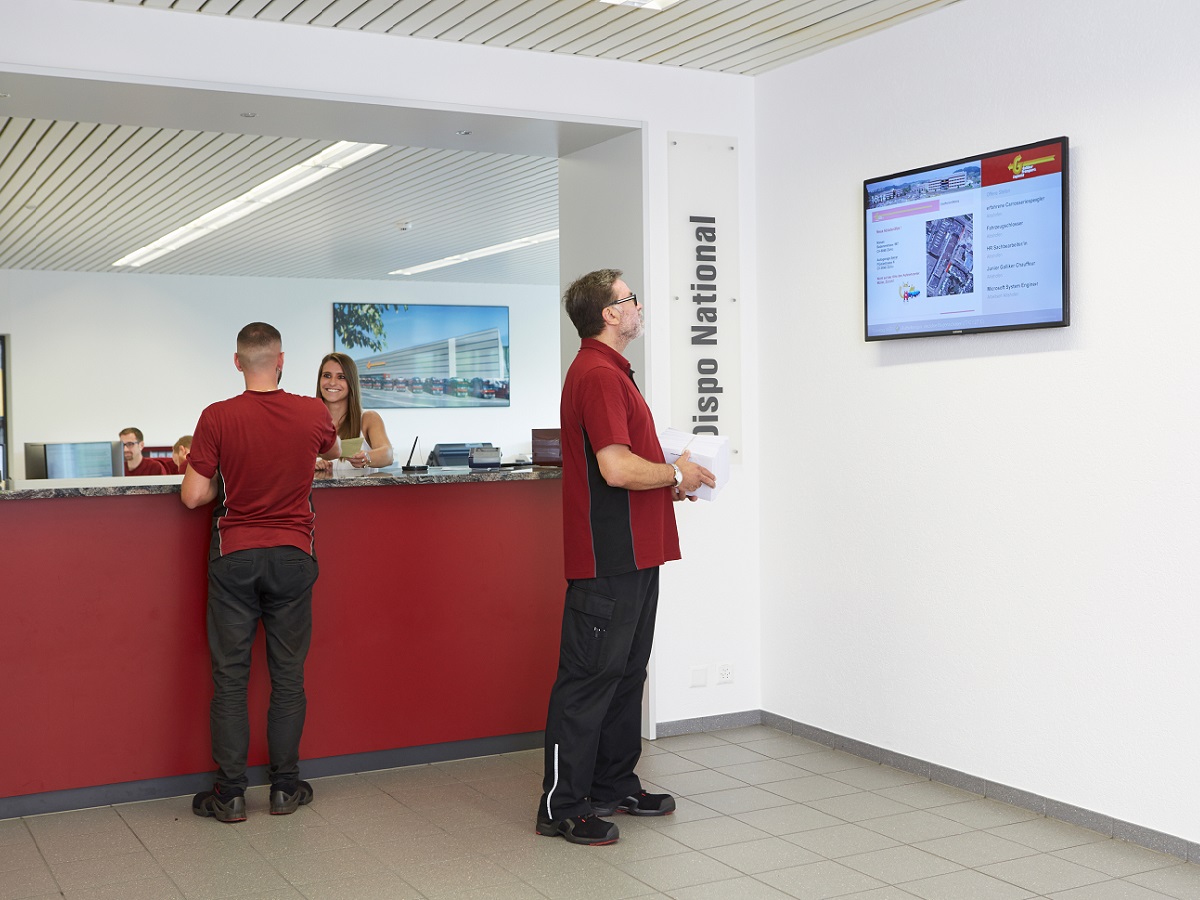
In this area of tension, digital signage is gaining importance. It combines the visibility of traditional notice boards with the timeliness of digital media. Information is delivered exactly where non desk workers are present: in production halls, workshops, logistics zones, or break rooms.
Without requiring employees to actively open a device, content becomes visible, understandable, and present.

The Benefits at a Glance

  • High reach
    Information reaches all employees — even without a PC workstation.
  • High visibility
    Content is always present and not “overlooked.”
  • Timeliness
    Updates can be published within seconds.
  • Low access barriers
    No login, no app, no personal account required.
  • Greater transparency
    Teams see the same information — regardless of shift or department.
  • Measurability
    Content and playback times can be centrally managed and tracked.

Digital signage therefore plays a central role in the daily work of operational teams: it informs, reminds, motivates, and makes internal communication visible where it has the greatest impact.

Communication Mix: Do One Thing Without Neglecting the Other

As a digital signage provider, we are naturally convinced of its benefits — but we are equally convinced that its full potential only unfolds in combination with other tools such as apps, intranets, or social intranets. Research clearly shows that no single channel can meet the demands of modern internal communication on its own. Teams are too heterogeneous, and working realities are too diverse.

Successful communication emerges when organizations intelligently combine different channels, regularly review them, and adapt them to the needs of their target groups. What matters most is not how innovative a tool is, but whether it actually reaches employees — at the right moment, in the right context, and in a form that is relevant and easy to understand.

Digital Shopfloor Boards Turn Your Screens into Meeting Tools

Learn more

Internal communication

Internal news without reach? Digital Signage makes them impossible to miss.

Visibility of Internal Communication

03.10.2025 | In many companies, a wide range of tools now exist to support internal communication: employee apps, intranet solutions, and internal social media platforms. However, all of these systems share the same challenge: their reach is limited.


The problem: visibility only with active use

Posts in these channels are only noticed when employees actively open the app or platform. This means that important information often goes unnoticed because it is easily overlooked during the workday or intentionally postponed. As a result, internal communication fails to have the intended impact — no matter how relevant or well‑prepared the content may be.

Digital Signage as a Reach Booster

Digital Signage offers an elegant solution to this problem. The idea: new posts from existing tools are automatically displayed on screens throughout the company. Whether in the cafeteria, the entrance area, production, or in the hallways — information becomes visible exactly where employees naturally move.

The result: content reaches employees passively, without requiring them to actively open an app or the intranet. Important updates are noticed in passing.

Here is a selection of our standard feeds

Feed offering

Benefits of integrating content into Digital Signage

  • Maximum visibility: Information is prominently displayed and not lost in the digital noise.
  • Automated integration: Posts from SharePoint, Viva Engage, or Beekeeper don’t need to be created twice — they appear automatically on your screens as well.
  • Increased reach: More employees see the content as they pass by and naturally take in the most important messages.
  • Flexible placement: Screens can be positioned wherever employees benefit from them the most.

Conclusion

Even the best‑intentioned communication falls flat if messages go unread. For information to truly resonate, it must be visible. Digital Signage provides the perfect complement: content appears automatically and is available at all times.

What used to be “only visible when opened” becomes: “visible to everyone, anytime.”

Next Blog Post

Security of Digital Signage

Internal communication

The Screenimage Webview brings Digital Signage to the desktop.

Screenimage Webview

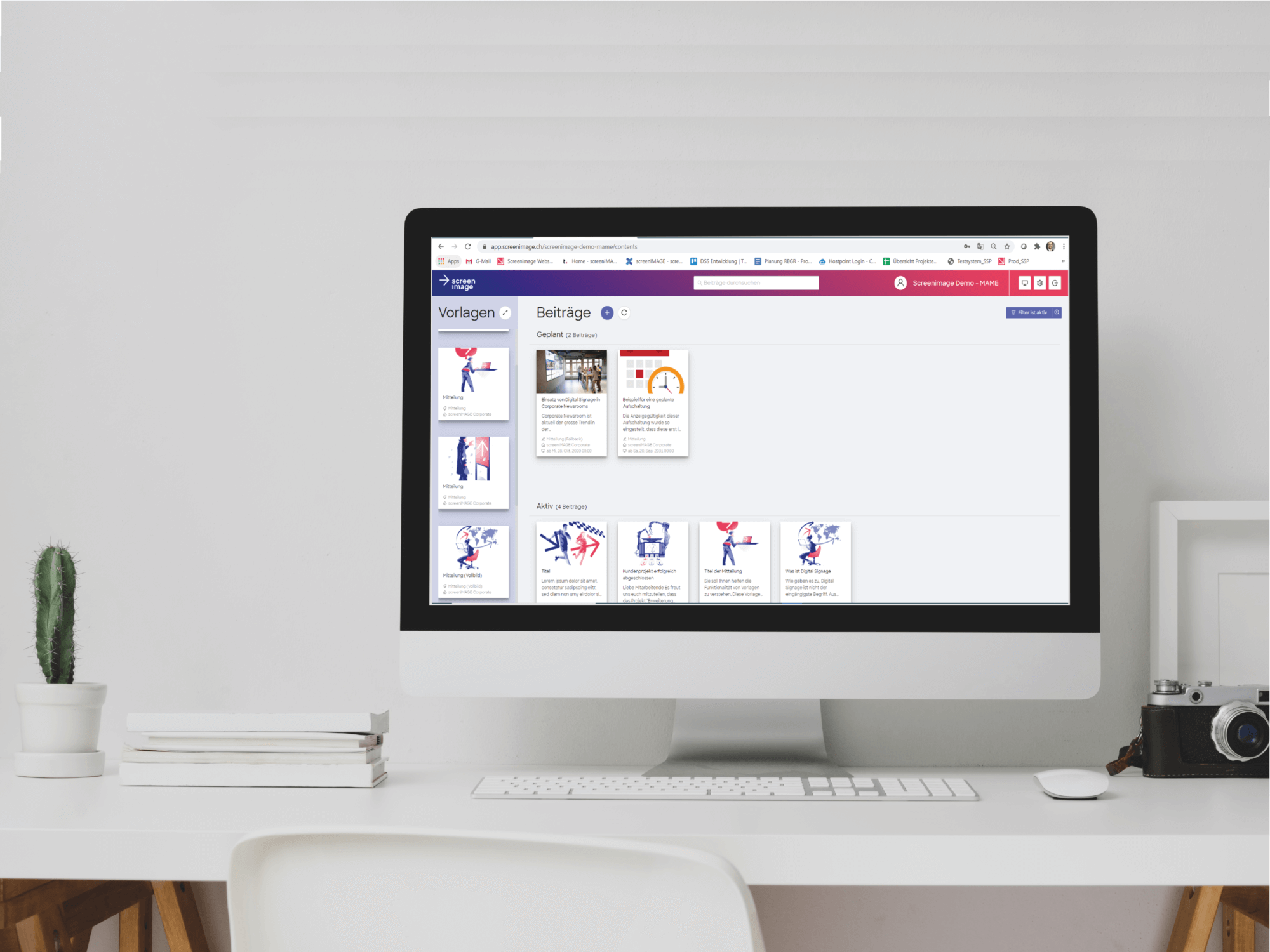
15.08.2025 | With the Screenimage Webview, your employees can now access your Digital Signage content from anywhere, browse through posts, or look up archived entries.

How it works

The Webview can either be opened directly via a link or embedded as an iFrame into your intranet, website, SharePoint, and more.

Your benefits

Digital Signage posts are ideal for capturing attention and communicating key information quickly.
With the Webview (and the app), employees can not only access content conveniently from anywhere—they can also interact, comment, and read longer or archived posts.

Curious?

Try the Webview demo:

What’s next?

The Webview marks an important milestone for us: combined with the Digital Signage solution and the Employee App, it forms a growing platform for modern, low threshold internal communication.
This brings us significantly closer to our vision of Screenimage as a true omnichannel communication solution.

Good to know:

Screenimage Pro remains flexible, whether your company uses the complete suite or only individual components. Screenimage Pro integrates seamlessly with external platforms, allowing content from other systems (intranet, apps, etc.) to be displayed within Screenimage.
Take a look at our standard interfaces: Appstore

Next Blog Post

Connect teams. Share news. Strengthen culture.

Internal communication

«Connect teams.
Share news.
Strengthen culture.»


Employee motivation

14.04.2025 | Appreciation, visibility, and a sense of belonging — three things many employees not only long for but increasingly expect. A challenge that communication professionals and HR managers must address today, not least as a result of changing work models in which employees meet less frequently in person. Why Digital Signage is, in our view, one of the most effective tools to reach, motivate, and create meaning for all employees easily and directly, you can find out here.


Why the topic is so important

Lack of engagement — often discussed under the term “quiet quitting” — is a growing challenge. A study by Axios and The Generation Lab shows that 82% of 18‑ to 29‑year‑olds find it appealing to do only the bare minimum at work.
One major reason for this is isolation. According to a survey by EY (via CNBC), more than 80% of respondents feel lonely at work or have felt this way before. In hybrid work models in particular, colleagues meet less often in person — which can lead to feeling overlooked or undervalued. A study in the Academy of Management Journal also found that loneliness is linked to lower job performance. So it is definitely time to act!

How Digital Signage can help

Communication professionals can counteract these challenges by integrating Digital Signage into their internal communication programs. For example:

  • Make employees visibly appreciated: By publicly recognising individual employees or teams on screens, you make their achievements visible to everyone — which, in turn, motivates all.
  • Celebrate anniversaries and birthdays: HR can display personal messages on screens — creating a sense of closeness.
  • Show team successes: Visual content such as customer feedback or group photos from successful projects strengthens the sense of unity.
  • Make shared values visible: Images and videos that reflect company culture can be shared directly on screens.
  • Gather feedback: With surveys or small quiz questions on screens, HR gains valuable insights and shows employees that their voices are heard.

What matters

For Digital Signage to have its full impact, content should be updated regularly, personalised, and visually engaging. Short texts, images, and especially videos are often far more impactful than text‑only messages. Outdated or generic content, on the other hand, can undermine employee trust.

Important: we do not see Digital Signage as a replacement, but as a component of a holistic internal communication strategy. The technology can make company culture visible and strengthen team spirit — but personal relationships remain essential. Digital Signage can also integrate content from other digital tools such as intranets, virtual town halls, and email communication, making them accessible and visible to everyone with minimal effort.


Especially in hybrid work models, intentional communication is essential. Companies that use technology for business processes should also use it to connect, inform, and motivate employees.


Would you like to learn how Digital Signage can contribute to employee motivation in your organisation? Get in touch — we are happy to advise you!


Next Blog Post

Visitor information system

Internal communication

Advantages of digital signage in internal communication

21.08.2023 | Digital signage is an extremely efficient tool for internal employee communication, as it offers a number of advantages over other channels. We have summarized the most important arguments for you.

Attract attention

Screens attract attention and can effectively emphasize important information or messages. The content can be designed visually by using different media formats (text, image, video, animations, etc.).

Targeted communication

Digital signage allows you to display different content in different departments / locations. This enables targeted communication in order to provide the relevant information for specific groups of employees. The result is an interesting mix of corporate content as well as department and location-specific content.

Accessibility for all employees

Digital signage is characterized by its low threshold. The screens are visible to everyone. Your posts are therefore read by all employees, regardless of whether they have a PC workstation (intranet etc.), a corporate e-mail address or have installed the employee app. In our view, the advantage of digital signage is that you can reach all employees with this medium, regardless of whether they have a PC workstation or not and regardless of how often they intrinsically use the intranet or the employee app for information. As a result, you increase the quality of your internal communication.

Real-time updates

Digital Signage allows you to update content in real time. This is especially useful when you need to quickly inform the entire workforce about an important company update. Using data feeds, live data such as analyses, overviews, and dashboards from productive systems can also be integrated.

Time and cost savings

Compared to printed materials, there are no costs for printing and distributing the notices. The content is updated online and centrally controlled. This saves you a lot of time and ensures that the information is actually received.

Strengthening the corporate culture

With digital signage, you can help to strengthen the corporate culture by packaging values, successes and employee stories into a story and presenting them in a visually appealing way.

Emergency communication

In an emergency, you can quickly publish important information on the screens to inform your employees about safety protocols or evacuation measures. For this purpose, “high‑priority broadcasts” are available, which override existing content in critical situations.

Interactivity

Depending on the technologies used, employees can interact with the screens to call up further information or register for events via forms, for example. You can either use touchscreens or supplement messages with a QR code, which your employees scan using a smartphone to access the desired form / target url.

In summary, digital signage is an extremely effective tool for making important information accessible to all employees in the company and thus promoting employee loyalty and efficiency. However, digital signage is by no means the only medium. However, we do not see other channels as “competitors”, but are convinced that the true potential of digital signage in internal communication lies precisely in the networking of different platforms.

Next Blog Post

Asus takes over production of Intel NUCs


Internal communication

Department‑relevant news generates more attention

06.03.2023 | Digital Signage allows you to provide your employees with exactly the information that is relevant to them. This means that the displayed content can vary greatly depending on location and department. To ensure this, we define a customer‑specific information structure for every Digital Signage system. The effort is worth it — the system becomes easy and intuitive to use.

In many places, the internal “newsletter to everyone” — intended to inform the entire workforce once a month — has fortunately disappeared.

The problem with these newsletters is that most employees consider only a small fraction of the information relevant to them. This is because not all employees are affected in the same way, and the content is usually written very broadly for such a wide audience, which reduces its information value. The result: emails are not read, and employees continue to feel poorly informed.

From time to time, however, we also encounter Digital Signage systems that function similarly to these newsletters. A central department creates all content for the entire workforce without addressing the specific information needs of individual departments. The result — screens lose attention over time.

Capturing information at the point of origin
Of course, some information is intended for all employees — for example, major new projects, announcements from management, important HR topics, etc. But do not forget that employees in different departments have very different information needs. These department specific news items can often be created directly by the people concerned.
Through user permissions, you define which individuals have access to which templates and screens. Information is therefore captured directly at the point where it originates — without a central editorial team having to handle it.

Automated integration via interface
Experience shows that many department or project specific content types can be integrated automatically. Depending on the department and business area, these can come from various sources: customer data, KPIs, project updates, machine data, monitoring and log data from IT systems, inventory levels, and much more.
This added transparency enables efficient work and helps monitor, analyse, and respond to processes. External data sources can also provide valuable insights — such as social media posts, press monitoring, or news from business partners or competitors.

Such automated content can even help optimise processes or enable entirely new forms of collaboration, as in the case of AXA’s corporate newsroom.

Screenimage Mobile
We go one step further with our employee app, Screenimage Mobile. In the app, employees see the channels relevant to them based on their department or location. In addition, they can subscribe or unsubscribe from optional channels. This allows each employee to create their own personalised news feed. You can learn more about the app here.

By the way, because the content mix on the screens is perceived as more relevant, overall attention for company wide corporate news also increases.

Next Blog Post

Four reasons to introduce an employee app

Internal communication

Integration of collaboration tools

Integration of collaboration tools

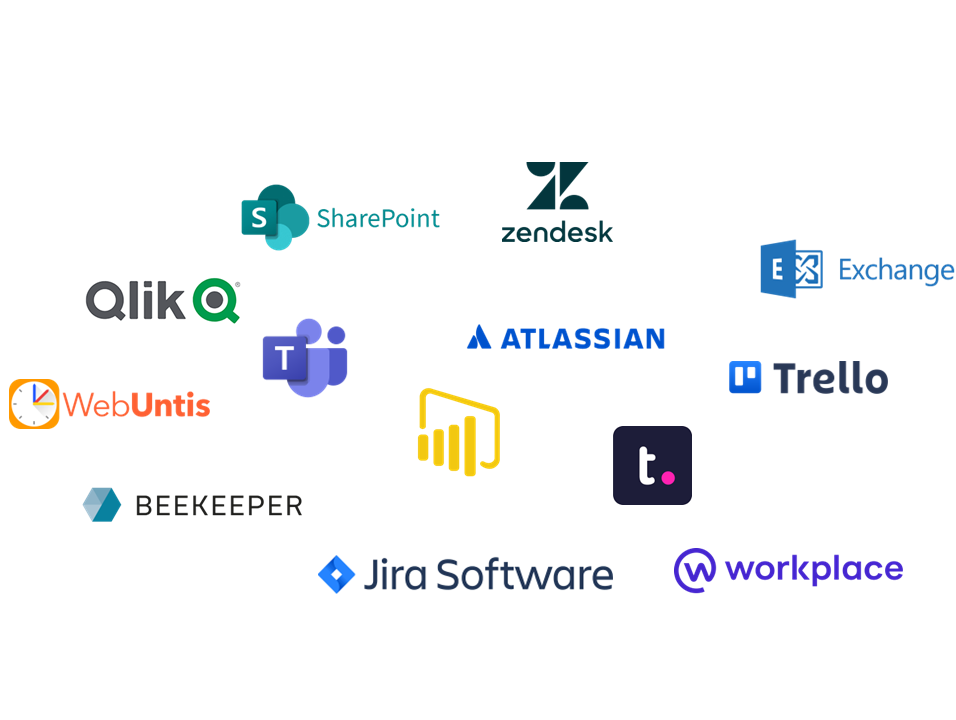
13.01.2023 | Collaboration tools are great. They help us plan tasks and coordinate within the team. With the trend toward hybrid work models and an increasing number of part‑time positions, their importance has grown even further. Today, hardly any company operates without MS Teams, Slack and similar tools. Using interfaces, these tools can easily be integrated into your Digital Signage system.

Especially in project planning, collaboration tools are indispensable. At a glance, all team members can see their current tasks, project progress, and more. Tools such as Trello, Jira, and Slack offer various ways to stay informed about the status of projects. While some prefer to be notified about practically every change (e.g., via email), others avoid notifications and only open the tools when they need to adjust something or want to check the status. Both approaches have advantages and disadvantages.
In the first case, it’s easy to lose track and get constantly distracted by emails from your “actual work.”
In the second case, the risk is high that you might miss something important.

So why not simply integrate collaboration tools into your Digital Signage screens?
Most of these tools offer great analyses and project overviews in the form of dashboards. These dashboards can be integrated into Screenimage via interface or directly as a URL source and displayed on the screens.

This brings the following advantages:
Dashboards are noticed “in passing.” Employees always have an overview of the current status of all projects and tasks — their own and those of their team members — without needing to be inside the tool itself. You could almost call it “project controlling to go.”
This creates additional transparency, which facilitates coordination and also has a positive effect on the working atmosphere.


Next Blog Post

Root Municipality Digital Bulletin Boards

Internal communication

Digital signage and employee app
a perfect symbiosis

01.08.2022 | At the beginning of this year, we launched our employee app “Screenimage Mobile.” Over the past months, we have already equipped two existing customers and one new customer with the app. The feedback has been very positive, especially regarding the combination of Digital Signage and the employee app.

We admit it — we felt a bit uneasy when we decided to develop our own employee app. After all, we were still busy migrating the last customers from “screenPLAN” to “Screenimage Pro,” and even after more than three years of development, planning, and a lot of brainpower, the list of desired new features remained long. Developing the app would once again occupy us for months. At the same time, expanding our offering with an additional medium carried the risk of cannibalising our own solution.

However, it was clear to us that if we truly wanted to live up to our vision — “We simplify digital information flow” — in internal communication, there was no way around creating our own app. Now, “Screenimage Mobile” is fully market‑ready, and the first customer projects clearly demonstrate the advantages of combining Digital Signage and the employee app. More on this

The screens serve as digital POIs (Points of Information) where employees can inform themselves when working on site. The advantage of the screens is that content is noticed while passing by — employees do not have to actively “make an effort” to stay informed.
The app, on the other hand, is designed for everyone working from home or frequently on the road (field staff, technicians, drivers, etc.). A quick glance at the app shows employees the latest updates, regardless of time or location.

Screenimage Mobile is based on the same target groups as the Digital Signage solution. Depending on the department, users are shown different channels and therefore only the information relevant to them. Employees can also subscribe or unsubscribe from additional optional channels themselves. The result is an individualised news feed.
You can learn more about Screenimage Mobile and the possibilities of combining Digital Signage and the employee app here.

Next Blog Post

What is Digital Signage?

Internal communication

Digital Signage Trends 2022

Zum Jahresbeginn blicken wir traditionell ein bisschen in die Kristallkugel und versuchen, die aktuellen Digital Signage Trends herausfiltern und für Sie aufzubereiten. Auch in diesem Jahr haben wir uns wiederum in der Branche umgehört und haben drei Schwerpunktthemen gefunden, welche wir Ihnen gerne vorstellen.

Anzeigen von Dashboards
Bestimmt wurden auch in Ihrem Unternehmen in den letzten Jahren neue Tools eingeführt, welche dabei helfen sollen, Ihr Business noch datengetriebener auszurichten (Trello, MS PowerBI, MS Team, Qlik, Google Analytics uvm.). Die meisten dieser Tools beinhalten tolle Dashboard-Ansichten, auf denen man auf einen Blick alle relevanten Daten sieht. Diese Auswertungen können Sie relativ einfach in Ihr Digital Signage System integrieren und so für alle sichtbar machen.

Aber Achtung, um auf die Dashboards zugreifen zu können, benötigt Ihr DS-System die entsprechende Berechtigung – sei es via hinterlegtem Benutzername und Passwort, SSO oder einem Access Token. Die entsprechenden Prozesse und Technologien müssen in Ihre Digital Signage Software integriert werden. Je sensitiver die anzuzeigenden Daten sind, umso höher sind die Zugriffshürden. Wenn immer möglich empfehlen wir, die Daten via Schnittstelle anstatt als Webseite / I-Frame einzubinden.

Interaktivität / Mobile App
Touchscreens are not new, but many companies are still reluctant to use them. There are various reasons for this: On the one hand, only the person standing directly in front of the screen can read the content, and on the other hand, the addressees have to actively search for the corresponding information. In cases where this is desired, however, touch solutions are a great thing.

Noch viel weitreichendere Möglichkeiten bietet in unseren Augen der Einsatz von Digital Signage Inhalten auf Tablets und Smartphones. Hier scheinen die Anwendungsbereiche beinahe unbegrenzt. So kann das Handy beispielsweise dazu genutzt werden, mehr Informationen zu den einzelnen Beiträgen der Screens abzufragen, Digital Signage Inhalte zu personalisieren oder gar den Bildschirm damit zu steuern.

Wir sind überzeugt, dass durch die Schnittstelle zwischen Smartphone und Digital Signage Screen noch viele weitere interessante Möglichkeiten entstehen. Deshalb sehen wird das Thema gar als Top-Trend für die nächsten 2-3 Jahre. Natürlich lassen wir uns dies nicht entgehen und haben im letzten Jahr sehr intensiv an einer eigenen App «Screenimage Mobile» gearbeitet. Die ersten Kunden nehmen die App in diesem Frühjahr in Betrieb.
Mehr Infos zu «Screenimage Mobile»

Einsatz interne Kommunikation
Wer hat’s erfunden? Ja okay, wir geben es zu, wir sind nicht die einzigen, die früh erkannt haben, dass sich die Vorteile von Digital Signage bei Public Screens auch für die interne Kommunikation aufdrängen.

Considering how often we are distracted by chat, emails, intranets and other tools to improve communication in our daily work, it is hard to expect employees to filter all this information properly and absorb only the relevant ones.

The opposite problem is experienced by the numerous employees without a PC workstation. They are often somewhat forgotten in the context of digitization in internal communication, as they have no or only reduced access to the corresponding tools.

This is exactly where digital signage comes in for internal communication. The screens serve as central points of information. Digital blackboards that exclusively display information that is relevant for the corresponding target group (department / business unit). In this way, employees can access the information that is important to them in a very low-threshold manner, without having to struggle for it or being inundated with other less relevant content.

WEITER ZU UNSEREN

Referenzen

Internal communication

“Back-To-Normal”, Or Hello “New Work”?

Zum Jahresbeginn blicken wir traditionell ein bisschen in die Kristallkugel und versuchen, die aktuellen Digital Signage Trends herausfiltern und für Sie aufzubereiten. Auch in diesem Jahr haben wir uns wiederum in der Branche umgehört und haben drei Schwerpunktthemen gefunden, welche wir Ihnen gerne vorstellen.

Digitization has profoundly changed our work environment and will continue to do so in the future. Many processes have been automated, more and more employees have been working together on a decentralized basis and across multiple sites, and data-based knowledge has been becoming an important success driver. As a result, the requirements and needs of employees, as well as the organization of work in companies, are changing.

Becoming a Data Driven Company with Digital Signage

One feature is the focus on data based insights. In this context, the term “data-driven companies” is being used more and more frequently. Data-driven companies are said to be those that have managed to agilely adapt themselves to what the market needs using the data they have gleaned, to continuously monitor the measures they have taken, and to respond quickly and efficiently whenever it is necessary. Digital signage helps make such data visible in “day-to-day business”, integrate existing dashboards, assessments, and statistics on info boards, and thus make them accessible to employees. Combined with department-specific content of internal communication, exciting “department channels” are produced, which deliver real added value.

Dezentral und standortübergreifend

Whereas in the past it was mainly larger companies and corporations that explored the idea of cross-site collaboration, in times when more and more employees do part of their work in a home office, this has become an issue that affects a large proportion of companies. Consequently, collaboration tools, such as Slack, Jira, or MS Planner, have been introduced to organize teamwork more efficiently. To keep track of all the tools, notifications, and status messages, it is possible to create multiple views and integrate them into your digital signage system. For instance, screens can be used to give an overview of the project status for different tools or stand-up meetings. As a result, less coordination and more efficient cooperation are achieved.

It is no coincidence then that just this year we were commissioned to develop Corporate Newsroom and a Store Floor Management solutions for two international companies.

Digital signage and home office a contradiction?

Absolutely not! On the one hand, it is clear that only a small proportion of employees will continue to work 100% remotely in the future, and on the other hand, there are still many jobs in every company where on-site presence is still absolutely essential. Central points of information help employees quickly pick up and process relevant information, regardless of whether they work on site every day or just a few days a week.

Is Digital Signage Too One-Dimensional For You?
Create An Opportunity For Dialog.

Finally, this: Digital signage doesn’t have to be a one-way communication tool. By integrating QR codes, you create the possibility for direct interaction. By scanning the QR codes with their smartphones, employees are taken to the “landing page”. This can be a simple website or a web form. Corresponding forms can be created quickly and easily with online tools such as Surveymonkey, Typform, Google Forms or directly in the CMS of your website/intranet.

WEITER ZU UNSEREN

Referenzen